
Download Google Input Tools – Free Multilingual Keyboard Extension
Overview
Google Input Tools — бесплатное расширение для браузера, которое превращает любое устройство в мощный многоязычный набор для ввода. Созданный Google, инструмент предоставляет виртуальные раскладки клавиатуры более чем для 90 языков, позволяя писать электронные письма, посты в соцсетях или документы на выбранном языке без установки отдельных пакетов IME. Расширение работает нативно в Google Chrome и бесшовно интегрируется с сервисами Google, такими как Gmail, Drive и YouTube. Будь вы путешественником, глобальным маркетологом или студентом, изучающим новую письменность, Google Input Tools предлагает простой, безопасный способ печатать на хинди, арабском, японском, кириллице и многих других системах письма прямо с клавиатуры или виртуального экранного макета. Программа также запоминает пользовательские слова и исправления, создавая персональный словарь, который растёт вместе с вашими привычками. В отличие от Google Translate, который лишь переводит уже существующий текст, Google Input Tools позволяет создавать оригинальный контент на нужном языке, сохраняя тон, диалект и стиль. Расширение поддерживает офлайн‑режим на Windows 10/11 и Android‑устройствах, позволяя оставаться продуктивным даже без активного интернет‑соединения. Благодаря чистому интерфейсу, мгновенному переключению языков и небольшому объёму, Google Input Tools стал предпочтительным решением для всех, кому нужен надёжный многоязычный ввод в браузерах и операционных системах.
Key Features
- 90+ language support: Includes major world languages and many regional dialects.
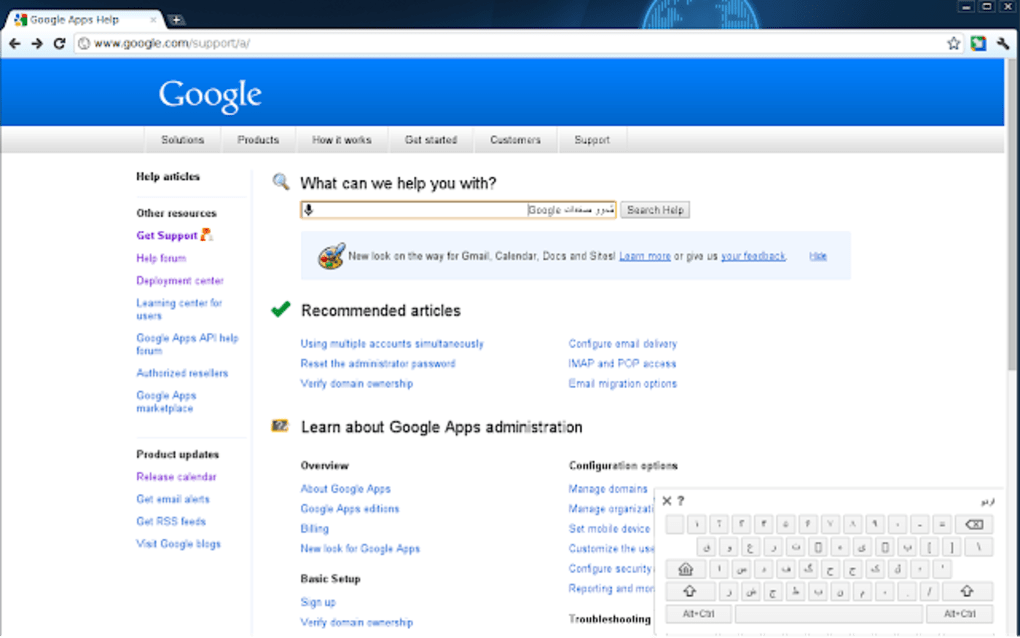
- Virtual keyboard layouts: On‑screen keyboards display exact key placement for each script.
- Transliteration engine: Type phonetically in Latin characters and get automatic conversion to target script.
- Custom dictionary: Learns uncommon words, names, and phrases as you type.
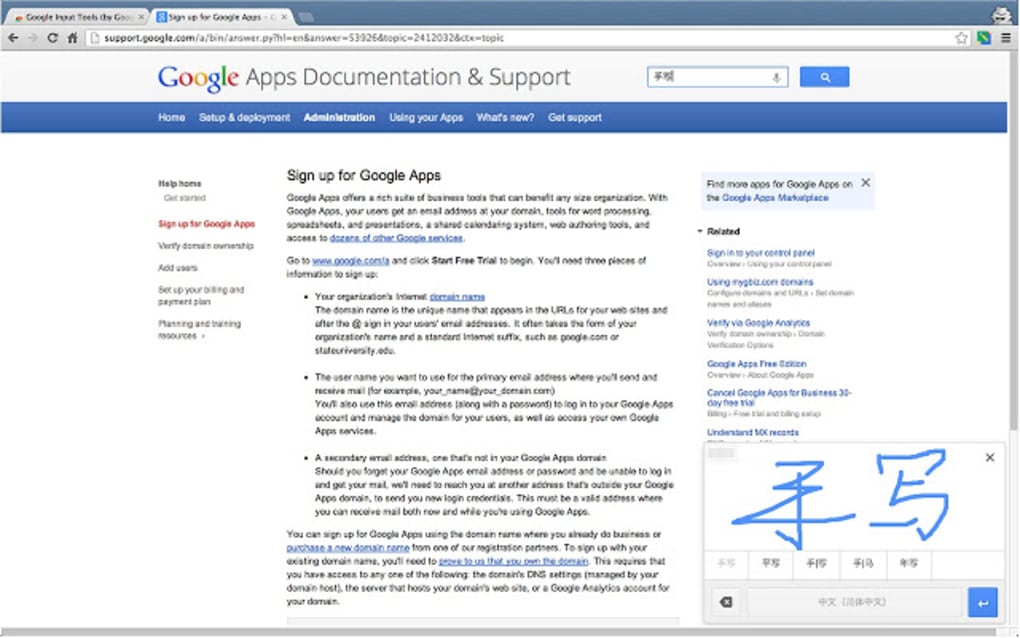
- Handwriting input: Draw characters with a mouse or touch to generate text.
- Offline capability: Works on Windows 10/11 and Android without an internet connection.
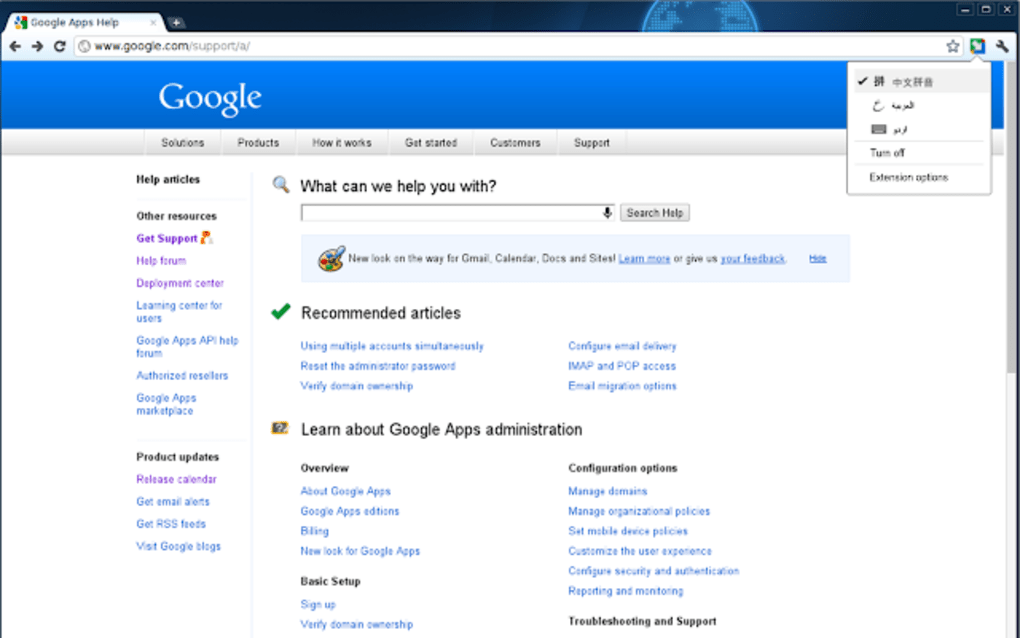
- One‑click language switch: Toggle between languages from the Chrome toolbar.
- Integration with Google services: Fully compatible with Gmail, Docs, Drive, and YouTube.
- Secure and regularly updated: Backed by Google’s security infrastructure and frequent language updates.
Installation & Usage Guide
Step‑by‑step installation
Getting Google Input Tools up and running is straightforward. First, open the Chrome Web Store and search for “Google Input Tools.” Click the Add to Chrome button, then confirm the permission prompt. The extension icon appears next to the address bar. For Windows users who prefer a desktop version, download the installer from the official Google Input Tools page, run the .exe file, and follow the on‑screen wizard to add the desired languages to your system’s language bar.
Configuring your language palette
After installation, click the extension icon and select Extension Options. Here you’ll see a searchable list of all supported languages. Check the boxes for the languages you need, then click Save. Each selected language will generate a small flag icon in the toolbar for quick access. You can reorder languages by dragging the flags, which determines the priority when you cycle through them using Ctrl + Shift shortcuts.
Typing in practice
When you need to type in a foreign script, click the toolbar icon, choose the language, and an on‑screen keyboard appears. You can either click the virtual keys with a mouse or continue using your physical keyboard—the extension maps your keystrokes to the selected script automatically. For transliteration, simply type the word phonetically (e.g., “namaste” for Hindi) and a suggestion dropdown will show the correctly rendered script.
Press Enter to accept the suggestion. Handwriting input is activated by clicking the pencil icon; draw the character in the popup canvas and the tool will recognize and insert it. All three input methods—virtual keyboard, transliteration, and handwriting—are fully interchangeable, allowing you to pick the most comfortable workflow for each language.
Troubleshooting tips
If a language does not appear correctly, ensure you have the latest version of the extension and that your operating system’s language pack is installed (particularly on Windows). Clearing the extension’s cache from the Chrome extensions page can also resolve occasional display glitches. For Android users, verify that the “Google Input Tools” app has the “Display over other apps” permission so the virtual keyboard can overlay other applications.
Compatibility, Pros & Cons
Google Input Tools is officially compatible with Google Chrome on Windows 10, Windows 11, macOS, and Chrome OS. An Android version is available through the Google Play Store, while iOS users can access a web‑based version via Chrome mobile. The extension also integrates with Google’s suite of online services, ensuring consistent behavior across Gmail, Docs, and YouTube.
Pros
- Free to download and use, with no hidden fees.
- Supports a massive number of languages, continuously updated.
- Lightweight and does not slow down browser performance.
- Offline functionality on Windows and Android devices.
- Intuitive UI that requires minimal learning curve.
- Secure, backed by Google’s regular security patches.
Cons
- No native iOS app; iOS users must rely on the web version.
- Handwriting window size cannot be resized, limiting longer inputs.
- Occasional suggestion lag for less common languages.
- Requires Chrome; not available for Firefox or Edge without workarounds.
Review Summary: Google Input Tools delivers a robust multilingual typing experience that is hard to match in the free‑tool market. Its extensive language library, seamless Chrome integration, and offline support make it an essential extension for global professionals. Minor UI quirks and the lack of an iOS native app keep it from a perfect score, but overall it earns a strong 4.5‑star rating.
FAQ – Frequently Asked Questions
Is Google Input Tools completely free?
Yes, the extension and the Android app are free to download and use. There are no hidden subscription fees or premium tiers.
Can I use Google Input Tools offline?
Offline usage is supported on Windows 10/11 and Android. Once the language packs are downloaded, you can type without an internet connection.
How does the transliteration feature work?
You type words using Latin characters, and Google Input Tools automatically converts them into the target script based on phonetic rules. Suggestions appear in a dropdown, and you can select the correct form with Enter.
Is the extension safe for corporate environments?
Because it’s developed by Google, the extension follows the company’s security standards, receives regular updates, and does not collect personal typing data beyond what is needed for the custom dictionary.
Can I add my own custom words?
Yes. As you type, the tool learns uncommon words, proper nouns, and phrases, storing them in a personal dictionary that syncs across devices when you are signed into your Google account.
Conclusion & Call to Action
Google Input Tools stands out as a reliable, free solution for anyone who needs to type in multiple languages on a daily basis. Its extensive language coverage, offline capability, and tight integration with Chrome and Google services make it a practical choice for students, professionals, and casual internet users alike. While the lack of a native iOS app and a few minor UI quirks keep it from being perfect, the overall experience is smooth and secure. If you’re looking to enhance your multilingual communication without juggling separate IMEs, this extension is the answer.
Ready to type in any language? Click the download button below, add your preferred languages, and start typing instantly. Experience a faster, more inclusive way to communicate across borders with Google Input Tools.
Download Google Input Tools Now






